Free Electronic Signature Software for Smarter Document Workflows
Streamline your contract execution with our free electronic signature tool. Securely upload PDFs, drop legally binding fields, track real-time signer activity, and eliminate paperwork instantly.
Start Free E-Signing NowModernize the Way You Handle Legal Agreements
Managing physical documents, printing lease contracts, and tracking down tenants for physical signatures is a massive operational bottleneck. Electronic signature technology completely modernizes this workflow.
By converting standard lease agreements and legal notices into secure digital assets, property managers and landlords can collect legally binding signatures from any mobile phone or tablet in seconds. Our free e-sign infrastructure combines ironclad document security with seamless layout mechanics, allowing you to spend less time tracking down paperwork and more time running your business.
"Transitioning away from physical paper ink to electronic signatures decreases lease lifecycle completion intervals from 5 days down to less than 4 hours."
— My e-Property Manager Automation Statistics
Why Businesses Trust Our E-Sign System
Enterprise-grade compliance combined with dead-simple execution mechanics.
100% Legally Binding
Every signature captured across our workspace strictly adheres to the federal ESIGN Act and state UETA compliance frameworks.
Tamper-Proof Documents
Once completed, files lock instantly with a cryptographic audit log certificate recording historical IP tracking details permanently.
Zero-Friction Client Links
Signers execute document fields directly inside any standard mobile or desktop web browser window without creating an account.
How to Prepare and Send a Document for E-Signature
Follow this definitive step-by-step workflow to initiate a secure transaction on our platform.
1. Upload Your Standard PDF Contract
Log into your account dashboard and select 'Upload Document'. Your document will safely render onto our cloud system interface layout.
2. Establish Your Template Signing Roles
Click on the main Party Manager widget to define who needs to execute the file, setting up structural rules for how fields are mapped.
3. Place Interactive Fields onto the Document Layer
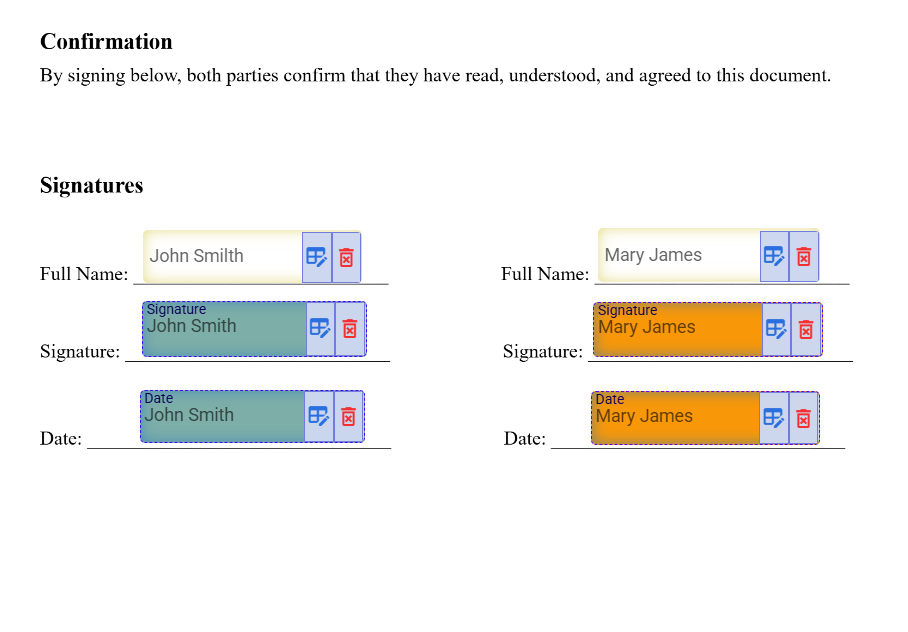
Navigate to the fields panel on the left border layout. Drag and drop your target elements—including Signature blocks, Text inputs, Checkbox groupings, and Date fields—directly onto the page text.
4. Verify the Print Safety Zone Boundary
Ensure the Print Safety Zone boundary setting is left enabled by default. This locks your fields cleanly inside standard margins, ensuring that no inputs get chopped off if someone prints out a physical copy.
5. Activate the Signing Draft and Transmit
Confirm recipient contact info, select your custom configurations, and click send. Secure links immediately dispatch out to your recipients for real-time tracking.
Frequently Asked Questions About Electronic Signatures
Clear, factual answers regarding legal validity, system accessibility, and pricing rules.
Need to quickly execute an everyday document or personal contract?
Read our
Everyday E-Signatures: The Complete Guide to Signing Documents
Online Safely →