How to Digitally Sign Residential Lease Agreements Online Free
Managing rental properties means handling constant paperwork. Preparing paper contracts, scheduling in-person signing appointments, and chasing down missing initial boxes delays tenancy start dates and creates unnecessary friction.
The Paperwork Bottleneck in Rental Management
Whether you manage a single residential condo or an entire portfolio of multi-family apartment complexes, signing lease agreements traditionally takes days. Mail delays, unreadable physical handwriting, and forgotten disclosure pages leave landlords exposed to legal risk.
Switching to a digital e-signature workflow solves this immediately. Under federal ESIGN Act guidelines, electronically executed residential leases hold 100% court-admissible legal validity across all 50 states—providing an unalterable, cryptographically sealed record of tenancy.
Stop Re-Typing Lease Data Manually!
Use our property management database to automatically populate tenant names, rent amounts, security deposits, and lease dates directly onto your agreements.
4-Step Guide to Executing Leases Online
Upload PDF & Enable Print Safety
Upload your residential lease agreement or parking rules PDF (up to 10 MB and 25 pages). The platform automatically enforces a Print Safety Zone, guaranteeing that tenant signatures and initial boxes are never clipped if physical paper copies are printed later.
Auto-Populate via System-Filled Fields
Landlord accounts can drop System-Filled Fields onto the document layer. Instead of typing tenant attributes manually, our engine pulls live tenant profiles, property addresses, start/end dates, and rent rates straight from your unit database.
Map Tenant Roles & Multi-Signers
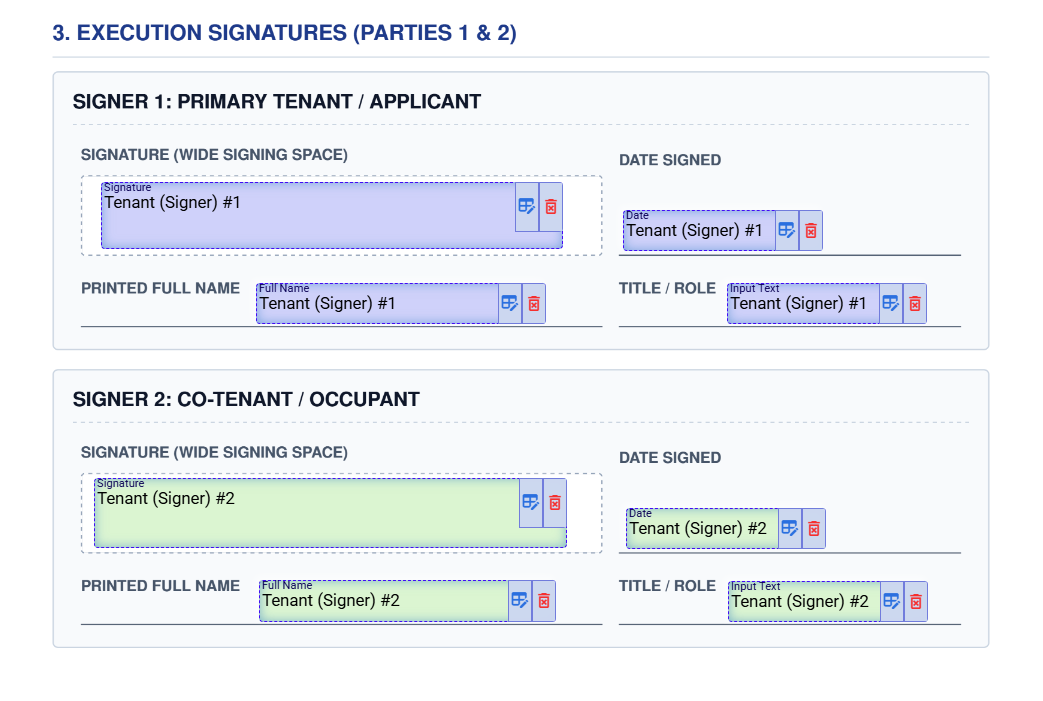
Drag and drop signature, initial, and date boxes for up to 5 Tenant Signers. For joint leases, configure a Sequential Signing Order so Tenant #1 signs before Tenant #2 receives an email notification.
Dispatch & Capture Audit Trail
Click Send. Tenants sign instantly on any smartphone or tablet without creating an account. Once signed, a cryptographically sealed SHA-256 Audit Certificate is emailed to all parties.
System-Filled Fields: The Ultimate Landlord Advantage
Standard e-signature tools treat every lease like a generic blank document. Landlords are forced to manually type tenant names, rent figures, and property addresses over and over again for every lease renewal.
Deep-Data Mapping Categories Available to Landlords:
Collecting Tenant Verification Files & Disclosures
Many leases require mandatory addendums—such as Lead-Based Paint disclosures, move-in condition reports, or tenant insurance verifications. Using our specialized Attachment Field Token, tenants can upload supporting files directly inside the document execution window:
Ready to Sign Residential Leases Online with 1-Click Database Auto-Fill?
Create court-admissible lease agreements, manage tenant roles, and auto-populate property records completely free.